![Prenda_wordmark_light_high res.png]](https://help.prenda.com/hs-fs/hubfs/Prenda_wordmark_light_high%20res.png?height=40&name=Prenda_wordmark_light_high%20res.png)
IMPORTANT: Renewal applications must be completed by April 30, 2026. If not completed, your student will be ineligible for the PEP Scholarship.
If your student received a Personalized Education Program (PEP) scholarship for the 2025-2026 school year, you’ll need to complete the renewal process for 2026-2027! Don’t worry, it’s super easy, and we’ll walk you through the process step-by-step!
👉 Key Deadlines:
- Renewal application deadline: April 30, 2026
- Scholarship acceptance deadline: May 31, 2026
🚨 If you do not accept your scholarship by May 31, you will not be awarded a PEP scholarship for the 2025-2026 school year.
In this guide, we’ll walk you through:
- How to renew your student’s PEP scholarship and accept their 26-27 award
- How to submit your Student Learning Plan (SLP) and Assessment Results
- When and how funding is distributed
- What you need to do to enroll in a Prenda microschool and use PEP funds
Renewing your student’s PEP scholarship is a three-step process:
Step 1: Submit a renewal application
Step 2: Accept your student’s scholarship once it’s approved by Step Up for Students
Step 3: Submit a Student Learning Plan (SLP) and upload assessment results into your EMA portal
Step 1: Submit Your Renewal Application
How to Submit Your Renewal Application
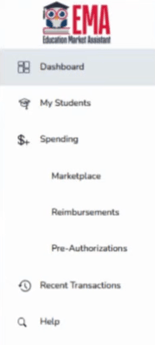
1️⃣ Log in to your EMA account and navigate to your dashboard.
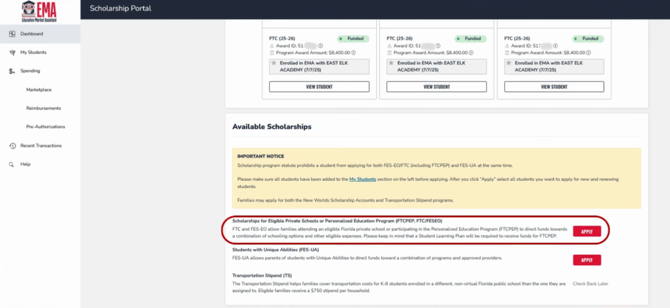
2️⃣ Scroll to the "Available Scholarships" section and find the "Scholarships for Eligible Private Schools or Personalized Education Program" area. Click "Apply".
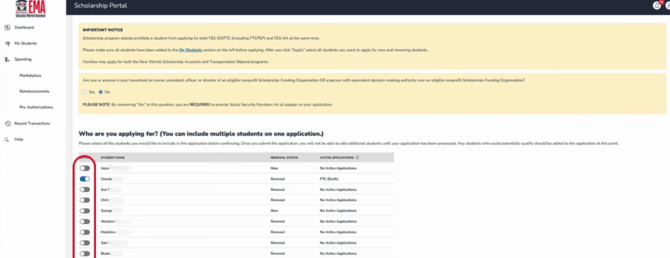
3️⃣ Click to turn on the blue toggle for each student you are renewing. If you need to add a student, click "Add a student" and include them in the application.
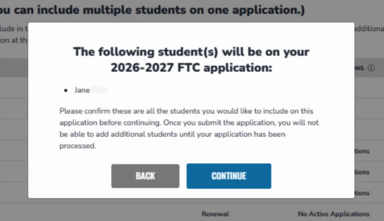
Confirm that you have included the correct students.
4️⃣ Double-check student details—make sure name, birthdate, and personal information are correct.
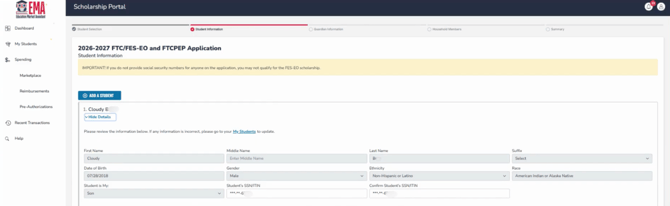
You may be asked to upload documentation confirming that you have custody over the student you are applying for.
Need to make changes? Update student info in the "My Students" section on the left-hand menu before returning to the application.
🚨 Important! In the “Expected School Information” section, select “Florida Home School” in the Type of School dropdown.
- DO NOT select “Florida Private School” or “PEP Hybrid Private School.”
-Feb-05-2026-12-51-29-8356-AM.png?width=670&height=171&name=Untitled%20design%20(1)-Feb-05-2026-12-51-29-8356-AM.png)
🚨 Important! In the “Expected School Information” section, select “YES” when asked "Do you intend to use this scholarship for FTCPEP (Personalized Education Program)?
- This ensures your student qualifies for PEP funding. Applying for the wrong scholarship can jeopardize your child's chances of receiving a scholarship.
-3.png?width=670&height=66&name=Untitled%20design%20(2)-3.png)
5️⃣ Guardian Information & Income Verification
- Income verification is optional. Only opt in if your income is below 400% of the federal poverty level, as this may give your application priority processing.
- If opting in, you must upload proof of income (such as tax documents).
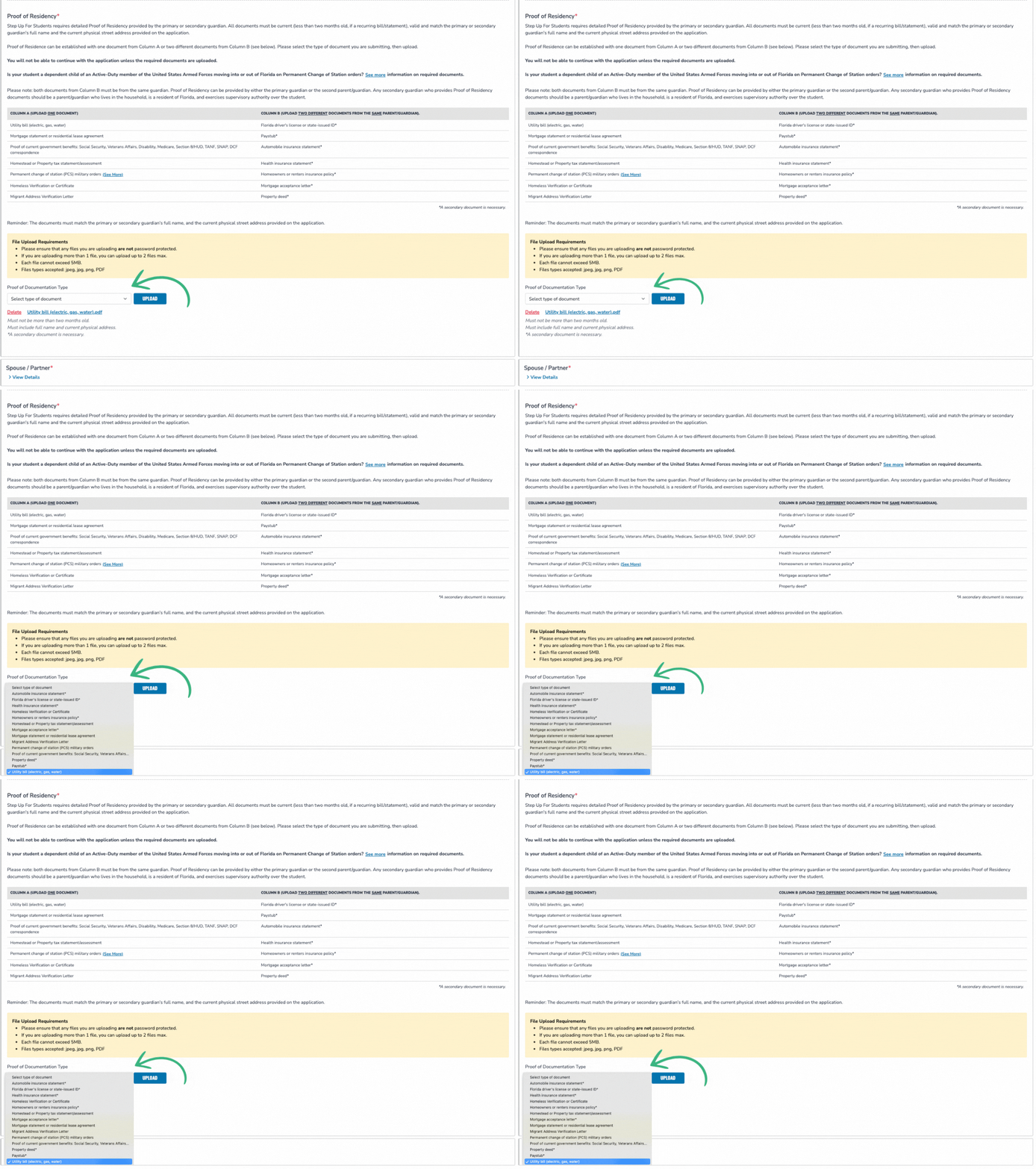
6️⃣ Proof of Residency: Required for all applicants
- Upload two documents that are less than 2 months old
- Must be submitted by the primary or secondary guardian
- Must show the guardian’s full name & address
- Must both be from same guardian
🔗 Additional details about proof of residency documentation
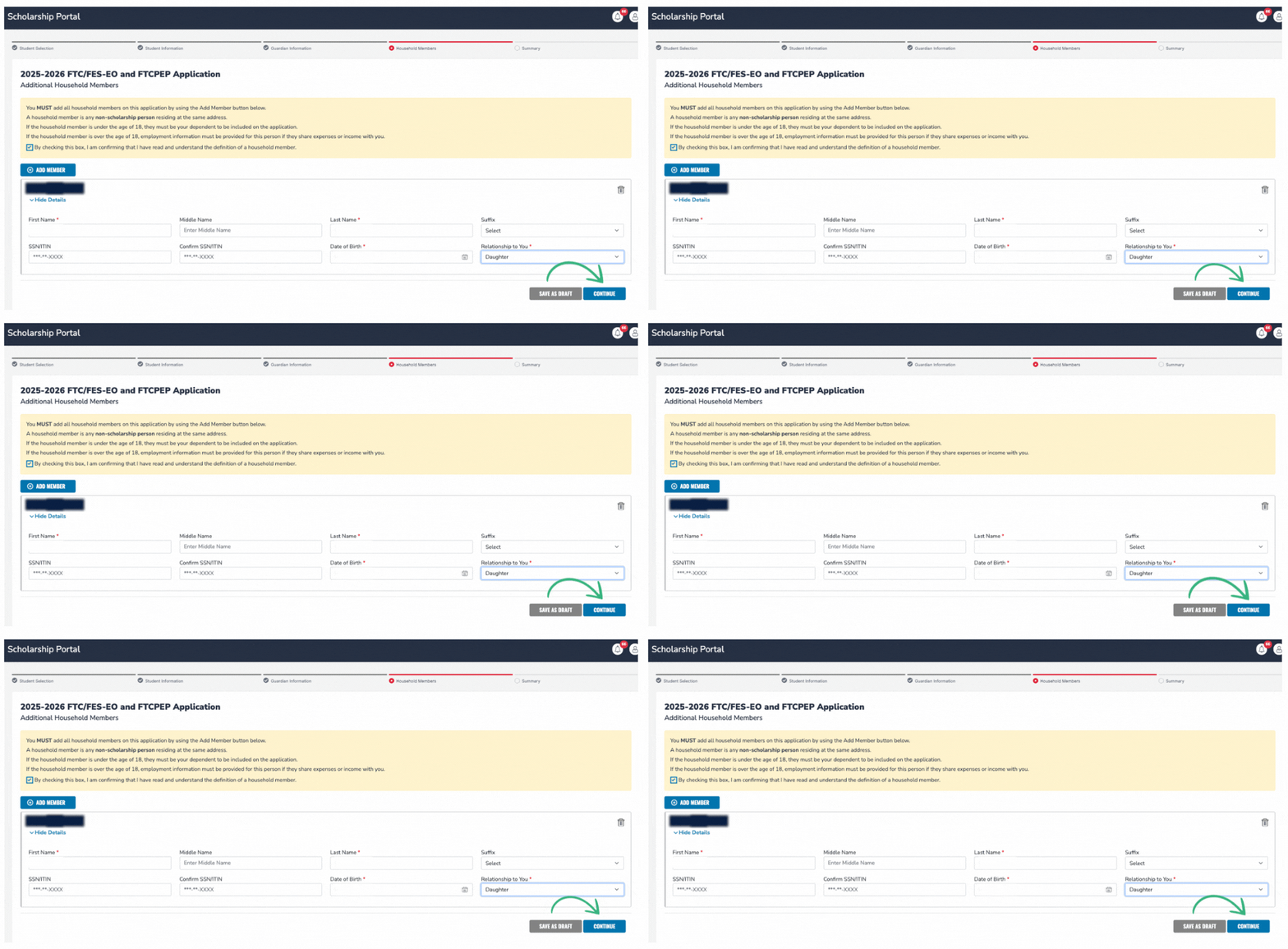
7️⃣ In the Household Members section, list everyone residing in your home (other children under 18 included).
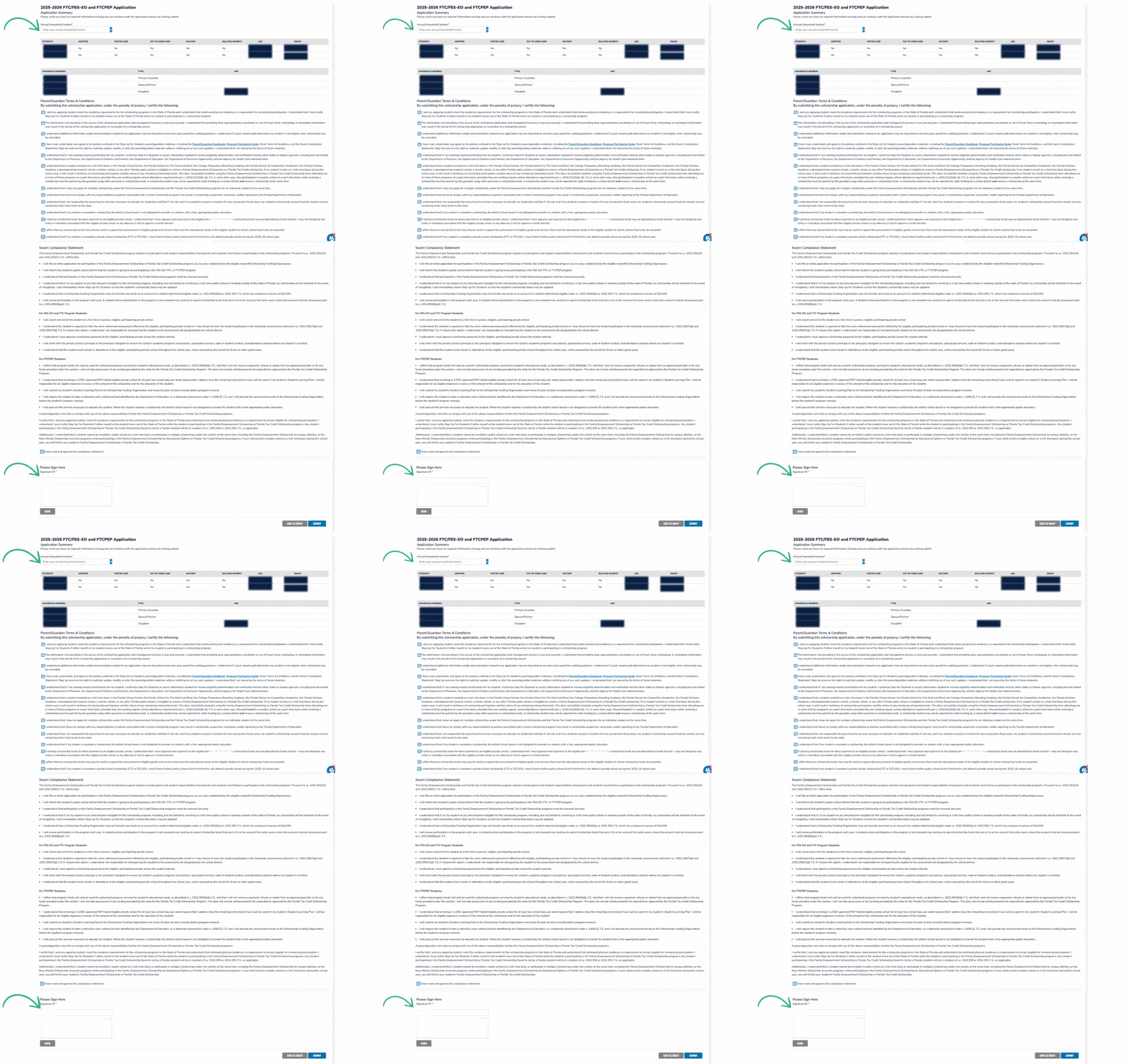
8️⃣ Review your application carefully, enter your annual household income, agree to the terms, electronically sign, and submit.
📌 What Happens Next?
- After submission, your application status will show as “Submitted” on your dashboard when first completed and will then change to "Pending Approval".
- During this stage, all applications display as FTC—this will update to FTC-PEP once awarded.
- If your status ever changes to "On Hold" there are additional requirements needed from you. Review your application to see those next steps.
- Processing takes approximately three weeks. Once you receive the scholarship award, you will have until May 31, 2026 to accept or decline the scholarship in EMA.
📽️ Need extra guidance?
Watch this Step Up For Students video walkthrough:
-2.png?width=579&height=299&name=Untitled%20design%20(5)-2.png)
Step 2: Accept Your Student’s Scholarship
Once your application is approved by Step Up for Students, you’ll receive an email with instructions for accepting the scholarship.
-1.png?width=390&height=691&name=Untitled%20design%20(6)-1.png)
How to Accept Your Scholarship
1️⃣ Log in to your EMA account.
2️⃣ Navigate to “Action Items” and find the request to Accept or Decline the scholarship.
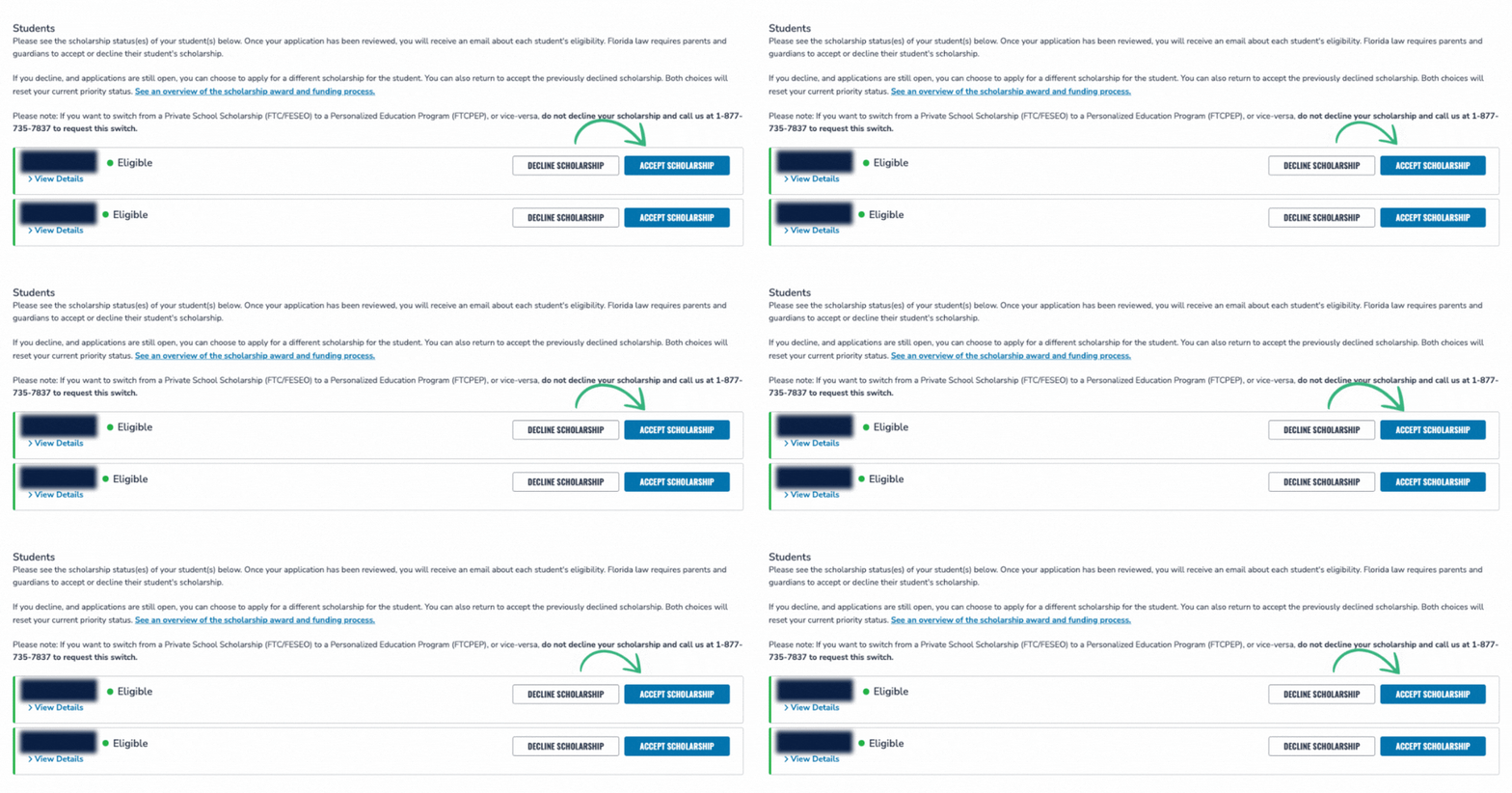
3️⃣ Click "Accept Scholarship" (yes, you’ll need to confirm twice).
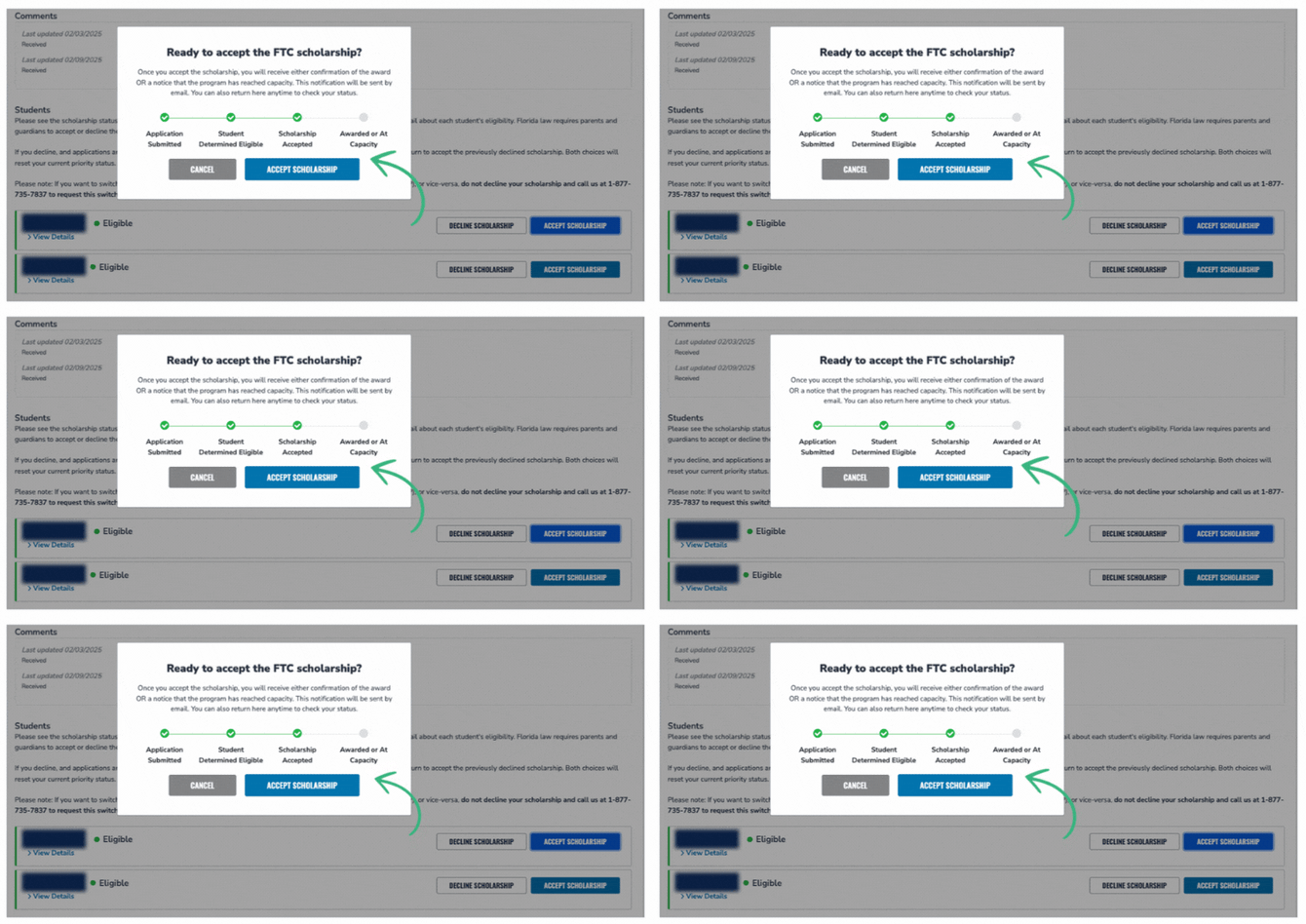
Step 3: Submit a Student Learning Plan and Assessment Results
Once you've applied and accepted your scholarship, there are two more steps you'll need to complete as a renewing scholarship applicant.
How to Complete the Student Learning Plan
1️⃣ Log in to your EMA account.
2️⃣ Navigate to the "My Students" section of your dashboard then select "View Student" for the student whose plan you wish to complete
3️⃣ At the top of your page click on the linked text that reads "Student Learning Plan"

4️⃣ Follow the prompts to complete the SLP for the 2026-2027 school year
📌 Tip: Prenda is a home education instructional program, not a private school—be sure to select “Yes" to participating in the PEP program and "No" to attending a private school. Failure to do so could result in your student losing their PEP scholarship and funding for the 26-27 school year.
-gif.gif?width=670&height=201&name=Untitled%20design%20(3)-gif.gif)
After submitting your student's SLP, you'll receive a confirmation email from Step Up that will include reminders about your student's required assessment results and information about the upcoming school year.
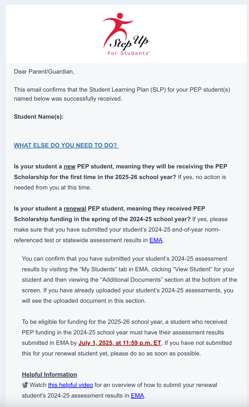
How to Upload Assessment Results
1️⃣ Log in to your EMA account.
2️⃣ Navigate to the "My Students" section of your dashboard then select "View Student" for the student whose plan you wish to complete
3️⃣ Scroll to the section titled "Additional Documents" on the bottom of the page
4️⃣ Select 2025-2026 school year from the dropdown
5️⃣ Upload reading and math results (you'll need to upload each one separately)
-gif.gif?width=670&height=364&name=Untitled%20design%20(5)-gif.gif)
Your student's i-Ready results will be shared with you by your guide. If you haven't received your results yet, make sure you get in touch with your guide!
Funding Timelines, Amounts, and Distribution
PEP Scholarship funds are distributed in these windows:
- Quarter 1: August 15 – September 15
- Quarter 2: November 15 – December 1
- Quarter 3: January 15 – February 1
- Quarter 4: April 15 – May 1
How do I access my funds?
- PEP funds are managed in EMA, which acts as both a holding account and purchasing portal.
- You’ll use EMA to pay for educational services, including Prenda.
How much funding will my student receive?
- The average scholarship amount for 2026-2027 is projected to be ~$8,000
- Scholarship amounts depend on grade level and county.
- The 2025-2026 amounts can be found here, but updated figures for 2026-2027 won’t be available until after state budget approvals.
Using PEP Funds for Prenda Microschool Enrollment
Once your PEP application is submitted, reach out to your chosen microschool guide and ask them to invite your child to their microschool if you haven’t already been invited.
You must accept an invitation in order to be enrolled in their microschool.
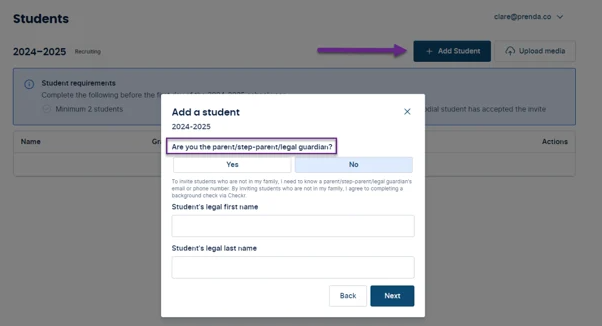
If you are a parent using Prenda’s single family microschool option to homeschool, you can add your child now in your Prenda World account.
Helpful Resources
📖 PEP Parent Handbook
🛍️ PEP Purchasing Guide
💵 2025-2026 Scholarship Award Amounts
Got questions? We’re here to help! Contact Prenda Support for assistance.